
GoHighLevel SMS Not Delivered? 9 Checks to Fix It
Your workflow fired. The message log says “Sent.” But the lead’s phone never buzzed. No reply, no booking, no error you can see. This is the single most-posted GoHighLevel problem in user groups this month — and most of the time, GoHighLevel did its job. The carrier killed the message after it left.
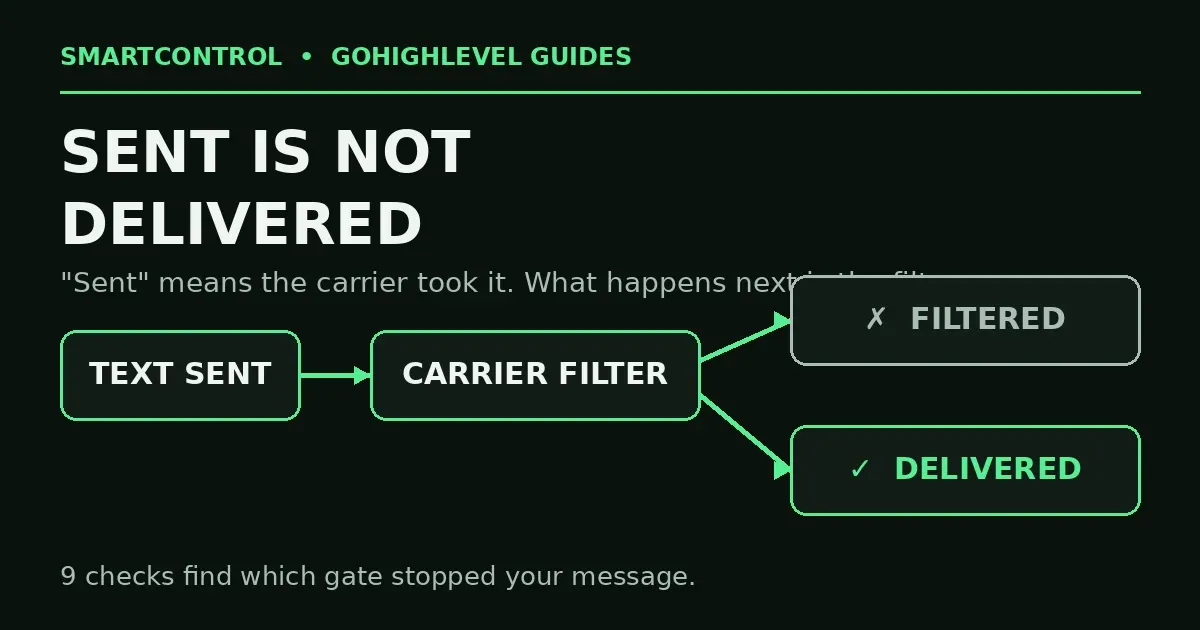
Here is the short answer: in GoHighLevel, “Sent” means the message was handed to the carrier network. It does not mean the handset got it. US carriers filter texts that fail their trust checks — A2P registration, campaign match, content, consent. These 9 checks, in order, find which gate stopped yours.
In this post: the 9 checks for GoHighLevel SMS not delivered, in order:
- Check 1: Delivery status and error code
- Check 2: A2P chain — brand, campaign, number
- Check 3: Campaign matches your messages
- Check 4: Content trips the filter
- Check 5: Consent and opt-out state
- Check 6: Right number type
- Check 7: New number, high volume
- Check 8: Test like a carrier
- Check 9: Escalate with proof
- FAQ
Check 1: Read the real delivery status and the error code
Stop guessing from the workflow log. Open Conversations, open the thread, and look at the message itself. GoHighLevel shows the delivery state there — and when a message fails, it carries an error code. The code names the cause:
- 30007 — the carrier filtered the message (content or reputation).
- 30034 — the number is not covered by an approved US A2P campaign.
- 30032 — toll-free number not verified for SMS.
- 21610 — the contact opted out, or the number cannot receive your text.
- 30003 / 30005 — the handset is unreachable, or the number is not a real mobile destination.
Write the code down. Every check below maps to one of these — fixing without the code is how people waste a week. This is the first thing any honest GoHighLevel support thread will ask you for.
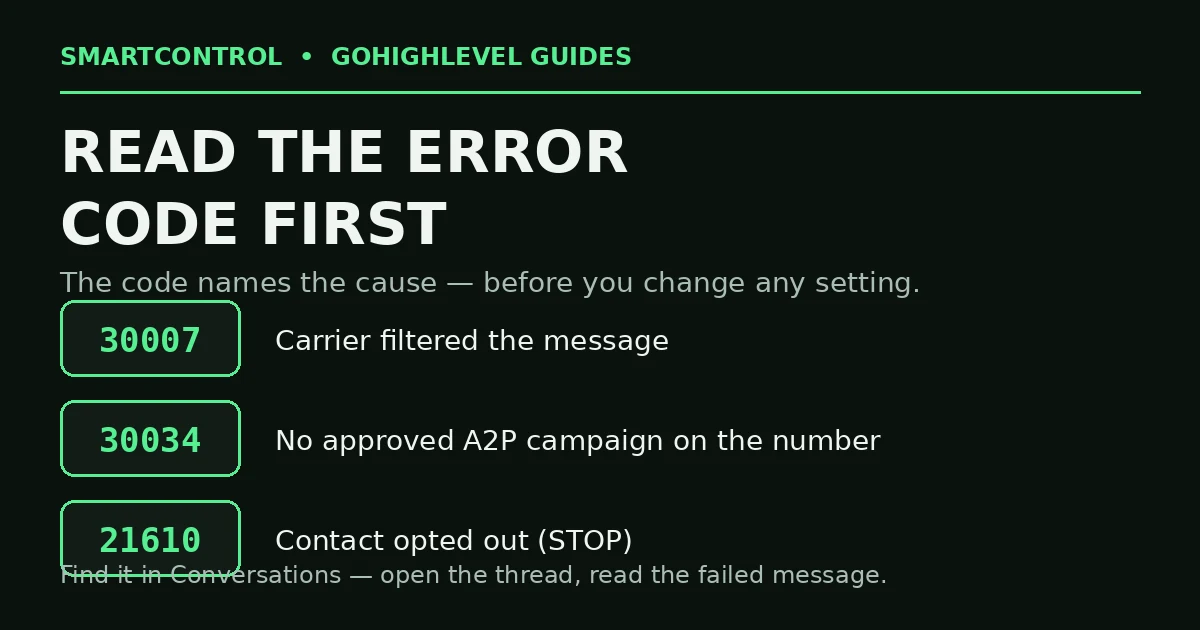
The error code names the cause — read it before you change anything.
Check 2: Is A2P finished — all three links of the chain?
A2P 10DLC is not one switch. It is a chain of three, and carriers filter you if any link is missing:
- Brand — approved in the Trust Center (your legal business details).
- Campaign — approved for the type of messages you send.
- Number — your sending number is linked to that approved campaign.
Go to Settings → Phone Numbers → Trust Center and read all three states. “Brand approved, campaign pending” is the most common half-finished state in Go High Level — and it still filters. Until all three show approved and linked, treat registration as not done. Most GoHighLevel SMS problems that look like platform bugs end right here. If your GoHighLevel SMS shows sent but not delivered, this chain is where to look first.
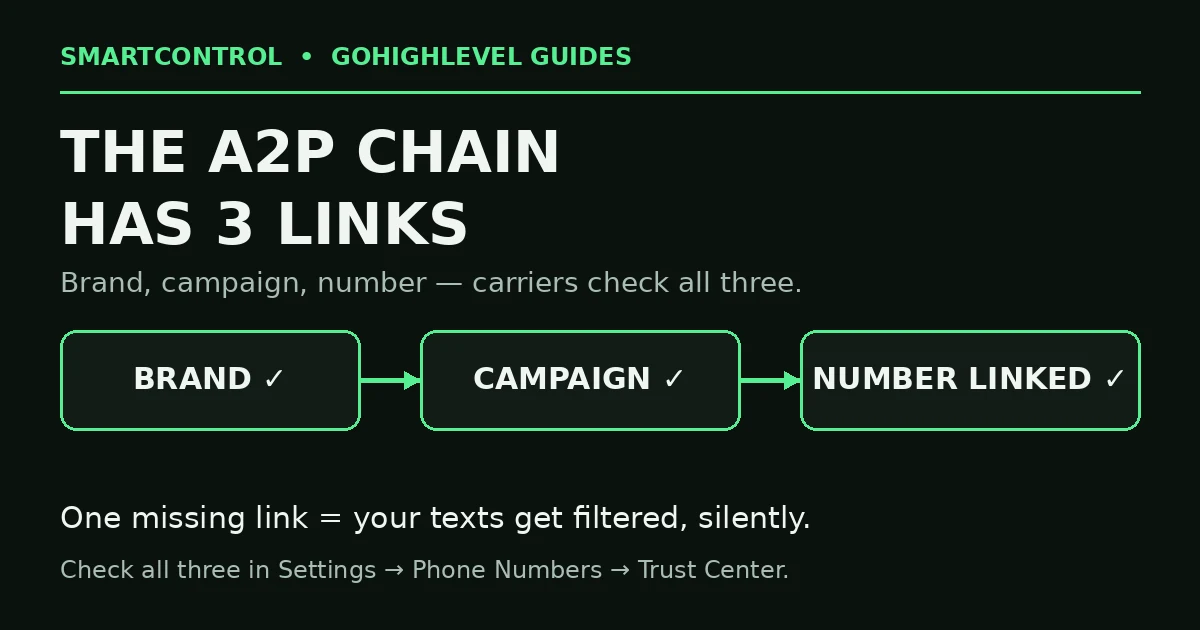
A2P is a chain of three — one missing link and carriers filter you.
Check 3: Does the campaign match the messages you actually send?
A campaign approved for appointment reminders does not cover a marketing blast. If your real messages drifted from the samples you registered — new offers, new links, new wording — carriers compare and filter. Read your approved campaign’s use case and samples, then read your live workflow messages. If they no longer match, update the campaign or fix the messages. Do not just resend and hope. A campaign mismatch is a quiet cause of SMS not delivered errors that no content edit can fix.
Check 4: Your message content trips the filter
Even with perfect registration, content gets filtered. The usual triggers:
- Public link shorteners (bit.ly and friends). Use a full link on your own domain.
- No business name in the first message to a contact. Say who you are.
- Shouty copy — ALL CAPS, money claims, “FREE!!!” energy. That is sms marketing spam language to a carrier filter.
- No opt-out line where one is expected. Keep “Reply STOP to opt out” in your first-touch messages.
Shorten the message, name the brand, use your own link, and retest. Content fixes clear error 30007 more often than any setting does.
Check 5: Consent and opt-out state on the contact
Open the contact record. If the contact ever replied STOP, GoHighLevel marks them and your later texts die silently — that is error 21610 doing its job. Check the contact’s DND (Do Not Disturb) settings too; a contact can be DND for SMS only. Never override an opt-out by hand. A contact comes back only by opting in again themselves (for example, texting START). Inside your GoHighLevel CRM, consent is a delivery setting, not paperwork.
Check 6: Is the number the right type for US texting?
- Toll-free numbers must complete toll-free verification before US SMS flows. Unverified = error 30032 and filtering.
- Long codes (normal 10-digit numbers) must sit inside the approved A2P campaign from Check 2.
- Landlines and VoIP numbers on the receiving side cannot take a text at all. If one contact never gets anything while others do, check what kind of number theirs is. One wrong number type can mimic GoHighLevel SMS not delivered across the whole account.
Check 7: New number + high volume = instant suspicion
A fresh LC-Phone number that sends hundreds of texts on day one looks like a spam operation to carriers. Ramp volume up over the first days, start with your most engaged contacts, and keep sending patterns human. If a number’s reputation is already burned — constant 30007 with everything else green — a fresh number with a clean ramp is faster than fighting for the old one. A burned number keeps producing SMS not delivered results no matter how clean the message is.
Check 8: Test like a carrier, not like the builder
Send a test to your own phone, and read the result in Conversations, not the workflow canvas. Then test to a phone on a different carrier if you can — one carrier filtering you is a content/reputation signal; all carriers filtering you is a registration signal. Change one thing at a time between tests, or you will never know what fixed it. Every good GoHighLevel tutorial on texting ends at this rule: the handset is the only truth.
Check 9: If all nine are green, it is provisioning — escalate with proof
Sometimes the number itself is mis-provisioned on the carrier side. If your A2P chain is approved, content is clean, consent is fine, and 30007 still hits every message, collect three things — the number, two or three message examples with timestamps, and their error codes — and raise it with support. That packet gets a real answer; “my texts don’t work” does not. GoHighLevel automation is only as strong as the number underneath it.
GoHighLevel SMS not delivered: do it yourself, or get help?
Do it yourself if one location has one problem number — Checks 1–3 find most causes in fifteen minutes. Get help if you run many sub-accounts, if your Trust Center is a mix of half-approved brands and campaigns, or if texting is your clients’ main lead channel. That is a system clean-up: registration, campaigns, numbers and workflows aligned once, so delivery stays fixed.
Book a GHL Strategy Call and bring one failed message with its error code: https://smartcntrol.com/book-a-call — we will trace it from workflow to carrier and show you the gate it hit.
FAQ
Why does GoHighLevel say “Sent” when the text never arrived?
Because “Sent” means the carrier accepted the message from GoHighLevel. Delivery to the handset is a second step, and carriers can filter silently in between. The real answer sits in the message’s delivery status and error code in Conversations.
My brand is approved. Why am I still filtered?
Brand approval is one link of three. The campaign must also be approved, and your sending number must be linked to that campaign. A pending campaign or an unlinked number filters exactly like no registration at all.
Can I text US customers from a toll-free number without verification?
No. Unverified toll-free numbers are blocked or heavily filtered for US SMS. Complete the toll-free verification in the Trust Center before you send.
Do shortened links really cause SMS filtering?
Yes. Public shorteners are a classic spam signal, and carriers treat them that way. Send the full link on your own domain instead — it converts better and filters less.
A contact replied STOP months ago. Can I text them again?
Only if they opt back in themselves, for example by texting START. Never remove an opt-out manually — it breaks the rules your A2P registration depends on, and it is how campaigns get shut down.
Keep learning: Why Is My GoHighLevel Workflow Not Triggering? · GoHighLevel Calendar Setup: Booking Calendar That Works · GoHighLevel Custom Fields vs. Custom Values
SmartControl builds funnels, websites, pipelines, calendars, and automations in GoHighLevel for agencies and local businesses. Last updated: October 2026.
