
GoHighLevel Calendar Booking Qualification: 6 Fixes
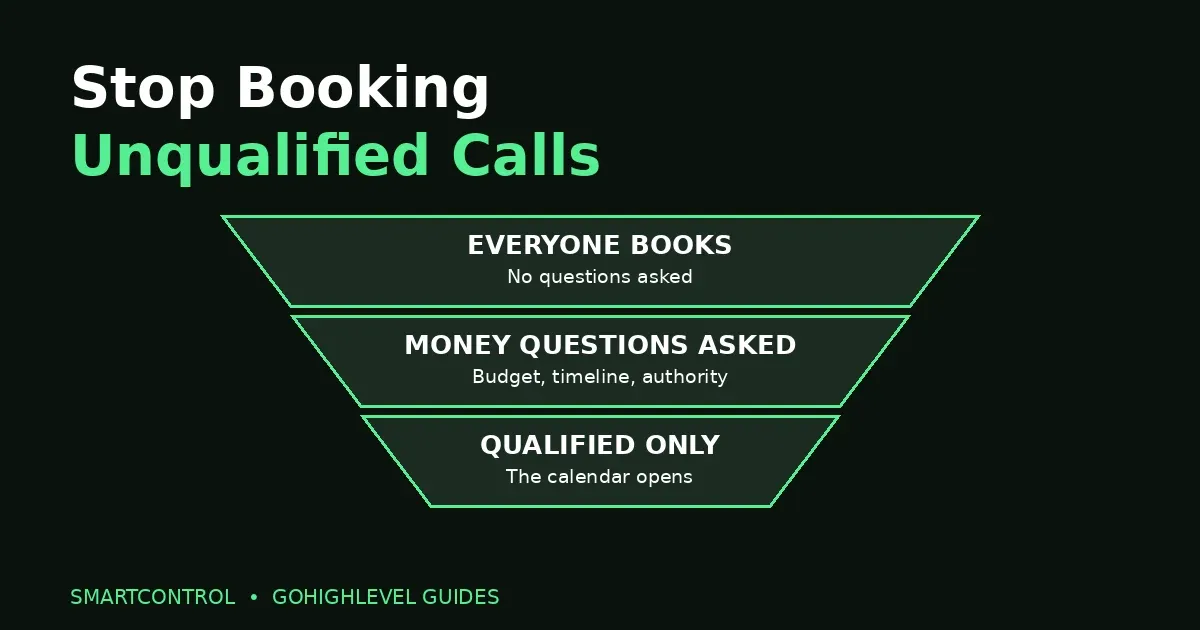
Your calendar is full. That should be good news — except half the calls are with people who were never going to buy: no budget, just looking, or not the person who can say yes. You spend the week talking to the wrong people while real buyers wait. That is what happens without GoHighLevel calendar booking qualification: the calendar takes everyone, and qualification happens on the call, where it costs you the most time.
GoHighLevel calendar booking qualification flips that order. It asks the money questions on the booking form, disqualifies the wrong fits automatically before an appointment is ever created, and routes the right ones to the right next step. The calendar stops being a waiting room and starts being a filter.
Answer box: GoHighLevel calendar booking qualification means asking budget, timeline, and decision-maker questions on the booking form, then using Conditional Logic to disqualify leads before booking — no appointment created, no payment collected. Qualified leads are routed by answer: high budgets to a fast call, mid budgets to the booking page, low budgets to nurture.
In this post:
- How GoHighLevel calendar booking qualification works
- 6 fixes that filter unqualified leads
- Symptom-to-fix table
- Frequently asked questions
How GoHighLevel calendar booking qualification works
It works in three moves, all before the appointment exists.
1. Money questions on the booking form
The form asks what the call would otherwise waste twenty minutes discovering: budget, timeline, and whether the person booking is the decision-maker. The three answers that fill calendars with the wrong people are “no budget,” “just looking,” and “not the owner” — and all three are knowable before the call, if the form asks.
2. Disqualify logic runs before booking
This is the part that changed recently. HighLevel’s changelog confirms that disqualify-lead logic in calendar booking forms is now enforced before booking: the system evaluates the disqualify conditions first, and if the lead is disqualified, no appointment is created, no payment is collected, and the configured redirect page or custom message is shown instead. The wrong fit never reaches your calendar at all.
3. Routing by answer, not by hope
Qualified leads are not all treated the same. An If/Else workflow routes by the form answers: the biggest budgets get a call within minutes, mid budgets get the booking page with reminders, and the rest go to nurture. Every answer has a destination, so nobody falls through the cracks — they just stop landing on your calendar uninvited.
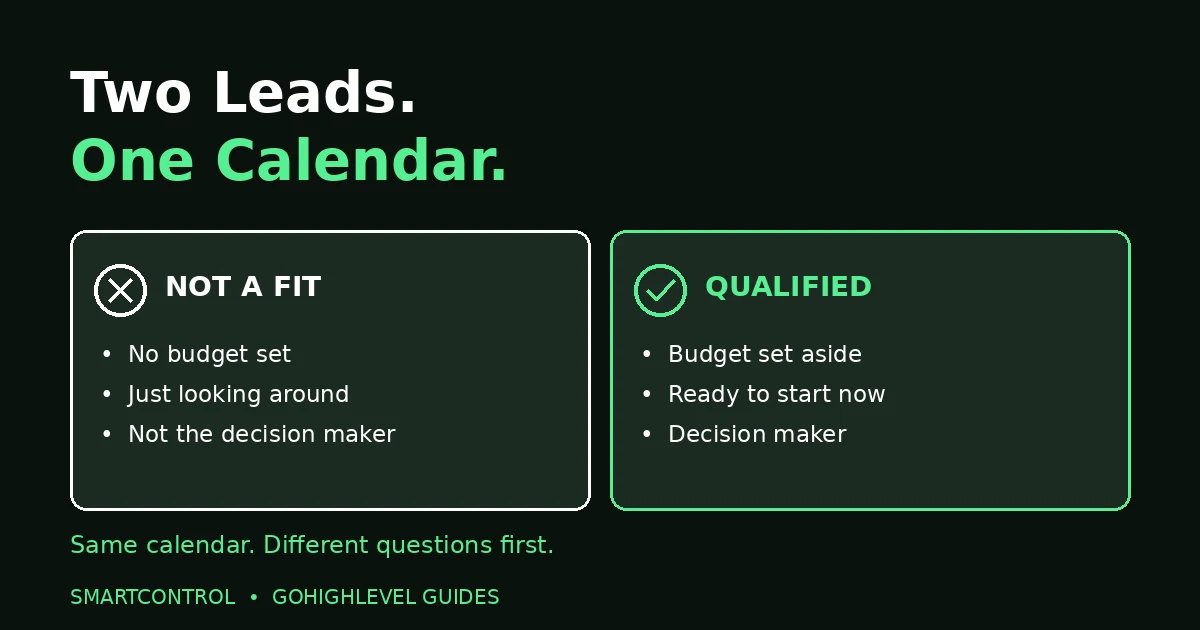
GoHighLevel calendar booking qualification separates the two leads your calendar sees every day: not a fit, and qualified.
6 fixes that filter unqualified leads
Work through these in order. The first three build the filter; the last three route what passes through it.
Fix 1: Ask budget first, not last
Put the money question on the booking form, near the top. A form that asks for a name and phone number and nothing else is an open door. A form that asks budget first is a filter — and it costs the lead ten seconds, versus costing you thirty minutes on a call that was never going to close.
Fix 2: Ask timeline and decision-maker too
Budget alone is not enough. Ask when they want to start, and whether they are the person who approves the spend. A lead with budget but no authority still burns a call: you pitch someone who has to “check with” a partner who never shows up. Two extra questions, asked up front, prevent that entire meeting.
Fix 3: Set the disqualify rule
In the Form Builder, open Conditional Logic and add a Disqualify action on the budget field — for example, under $3K. When that answer comes in, the disqualify logic runs before booking, so no appointment is created and no payment is taken. Show a polite custom message or redirect instead of a dead end: “Thanks — based on your budget, our done-for-you service isn’t the right fit yet. Here’s a free resource to start with.” The lead leaves helped, not rejected, and your calendar stays clean.
Fix 4: Route high budgets to a fast call
When the budget answer is $10K or more, do not send that lead to a booking page three days out. Route them to a call within 5 minutes. High-budget buyers are shopping now; every hour of delay is an hour a competitor gets. Speed is part of qualification — the hottest leads should meet a human fastest.
Fix 5: Route mid budgets to the booking page plus reminders
Budgets in the $3K–$10K range are real buyers who need a normal booking flow: the booking page, then reminders before the call. This is the group your calendar is actually for. Give them the full experience — confirmation, reminders, reschedule links — because these are the calls that close.
Fix 6: Route low budgets to nurture, not to the calendar
Under $3K does not mean never — it means not yet. Send those leads to a nurture sequence and invite them back in 90 days, when their budget or timing may have changed. Deleting them wastes the lead; booking them wastes the call. Nurture is the third option most calendars never build — and under GoHighLevel calendar booking qualification, it is the one that turns today’s “no budget” into next quarter’s client.
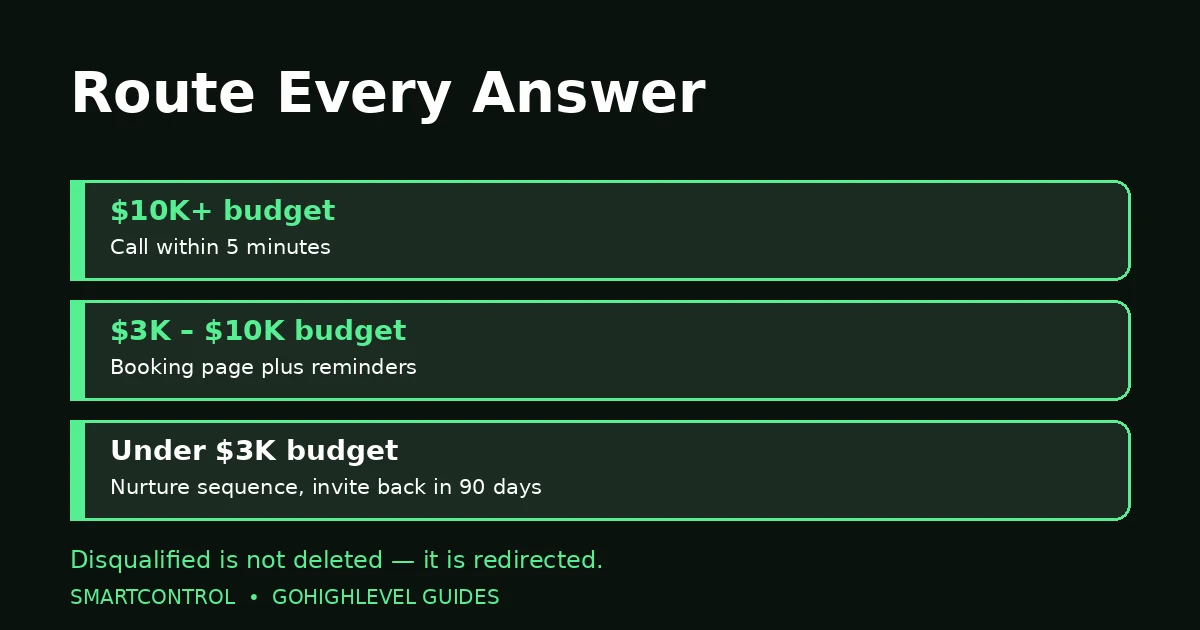
Route every answer: $10K+ to a fast call, $3K–$10K to the booking page with reminders, under $3K to nurture.
Symptom-to-fix table
| If you see this | Check this first |
|---|---|
| Calendar full of no-shows | No qualification on the form — add budget, timeline, and decision-maker questions |
| Calls with “just looking” leads | No disqualify rule — set Conditional Logic on the budget field |
| No-budget bookings slipping through | The disqualify rule’s threshold, or a form without logic at all |
| Decision-maker never on the call | No authority question on the form |
| Disqualified leads still booking | The rule runs before booking only on supported flows using custom forms |
| Good leads waiting days for a call | No fast-call route for high budgets |
Use this table when GoHighLevel calendar booking qualification is not yet set up on your calendar. That last row is worth repeating: qualification is not only about keeping the wrong people out. It is about getting the right people in faster. A calendar that treats a $10K buyer and a $0 browser the same way is failing both of them. And the calendar family connects: our calendar setup post covers the booking side, calendar disconnects break the reminder workflows around these bookings, and workflow error alerts catch routing workflows that fail silently.
Frequently asked questions
Does disqualification happen before or after booking?
Before. The disqualify conditions are evaluated first, and if the lead is disqualified, no appointment is created and no payment is collected. The lead sees your redirect page or custom message instead.
What budget floor should I use for the disqualify rule?
GoHighLevel calendar booking qualification works with your own real prices, not someone else’s number. The $3K figure in this post is an example from a real setup, not a rule. Set the floor at the lowest budget you can genuinely serve well — below that, nurture is kinder and more profitable than a call.
What happens to disqualified leads?
They see your redirect or message, and you route them to nurture — a sequence that invites them back in 90 days. They are not deleted, and they are not booked. They stay warm until their situation changes.
Does this work on every calendar type?
It works on supported booking flows that use custom forms. HighLevel notes that Services (v2) and Rentals are not included yet, so check your calendar type before relying on the rule.
What if someone answers dishonestly on the form?
The form filters; the call confirms. Ask the money question again on the call, early, before the pitch. A form cannot catch every exaggeration — but it catches the honest “no budget” answers, and those are most of the wasted calls.
The short version
GoHighLevel calendar booking qualification is three moves: ask the money questions on the form, disqualify automatically before booking, and route every answer somewhere useful. High budgets get a fast call, mid budgets get the booking page with reminders, and low budgets get nurture instead of your calendar. Build that GoHighLevel calendar booking qualification setup, and your calendar stops being a list of everyone who found the link — and starts being a list of people worth talking to.
If unqualified calls are eating your week and you want the filter built properly, book a free GoHighLevel strategy call and we will sort it with you.
