
GoHighLevel Voice AI Pricing: 6 Fixes for Runaway AI Bills
In this post: what GoHighLevel Voice AI pricing really looks like — and 6 fixes that stop one client from spending more on AI than they pay you.
You sell a client a Voice AI receptionist. It answers calls and books jobs. Then the month ends, and the AI bill is bigger than what the client pays you.
That is the exact problem an agency owner posted on Reddit on 30 October 2026: who pays the AI bill when a client uses more than they pay for? Twenty replies later, the thread had one clear answer.
This post shows the setting, the trap, and 6 fixes that cap the bill — starting with what gohighlevel voice ai pricing actually looks like.
GoHighLevel Voice AI pricing: what you actually pay
AI in GoHighLevel has three prices. First, pay per use: no monthly fee. Every billable AI action charges your agency wallet at token cost.
Second, AI Employee Growth at $50 a month per sub-account: 1,000 Conversation AI responses and 100 Voice AI minutes a month, plus unlimited Reviews AI and Content AI.
Third, AI Employee Unlimited at $97 a month per sub-account: Conversation AI and Voice AI unlimited, subject to fair use.
That is gohighlevel ai employee pricing in full: Growth $50, Unlimited $97, or pay per use. Searches for gohighlevel ai voice agent pricing and gohighlevel ai agent pricing point at the same three numbers.
Here is the catch. The gohighlevel voice ai cost does not sit on the client’s card — it comes out of your agency wallet first. Charge a client $200 a month, and if they burn $260 of usage, you lose $60.
So gohighlevel voice ai billing is a cap question, not a pricing question. Understand those three numbers, and gohighlevel voice ai pricing stops being a mystery.
Fix 1: Turn the monthly limit on
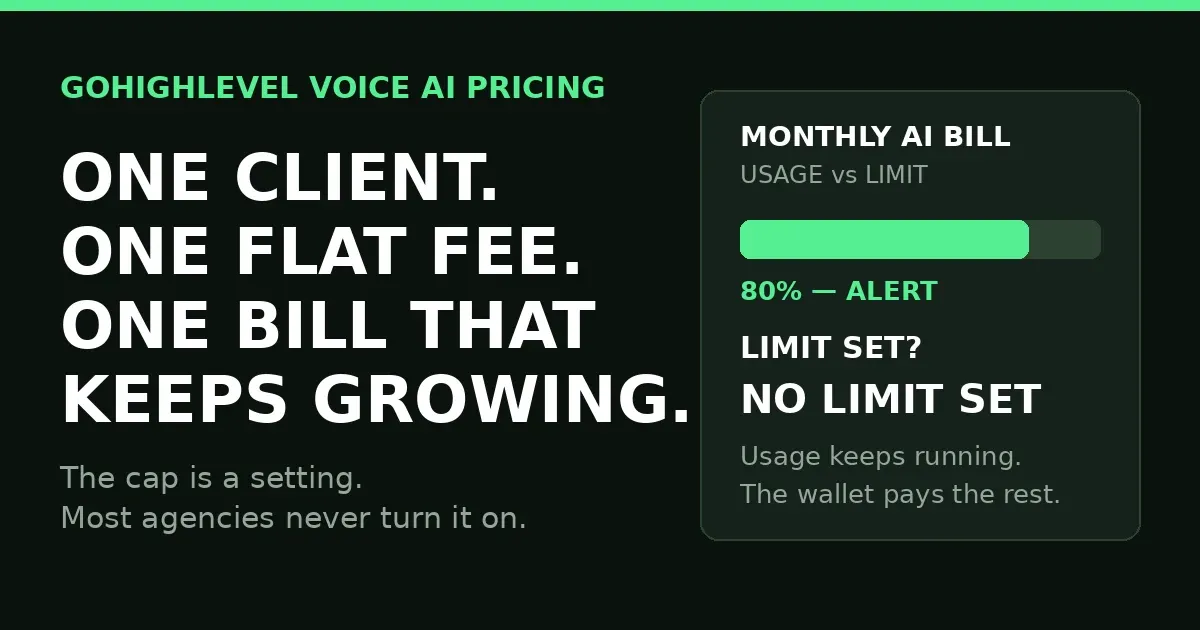
By default, there is no spending limit in GoHighLevel. If you never set one, usage runs past the included allowance and the overage bills at pay-per-use rates.
In the agency view, go to AI Suite, then Plans and Limits. Click a sub-account, or the three dots next to it, then Configure Limits, and set a monthly limit in dollars. The gohighlevel voice ai setup is only half done until this limit is set.
The limit only applies to billable usage. Usage already included in the plan is free. Only pay-per-use and overage charges count.
The most you can set is $1,000 a month per sub-account. Match the number to what the client pays you: a $150 fee means a $150 limit, so they can never cost you more than they pay. That is gohighlevel voice ai pricing with a ceiling.
Fix 2: Switch the behaviour to “Block AI at the limit”
This is the trap. Setting a limit is only half the job, because GoHighLevel asks a second question: what happens when the limit is reached?
“Keep AI running, just notify” is the default. The AI keeps working past the limit, you get an alert, and the bill keeps growing. The limit is only a soft warning.
“Block AI at the limit” stops the AI when the limit is reached, until you raise the limit or usage resets at the start of the next calendar month.
Set a limit and leave the default, and nothing is capped. HighLevel’s own AI Usage Limits doc says usage continuing past a limit is expected behaviour. Pick block ai at the limit for the cap to mean anything.
A limit without Block is a notification. A limit with Block is a cap — this one switch is the heart of gohighlevel voice ai pricing control.
Warn the client first: Block stops their AI mid-month.
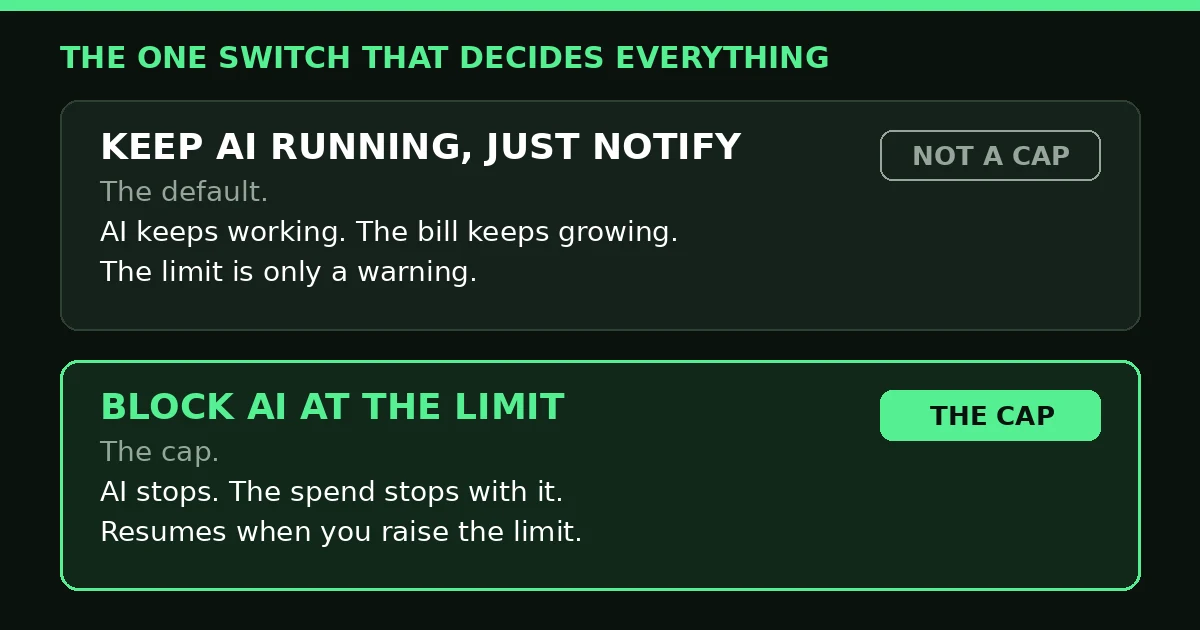
The default only notifies you. Block is the setting that actually stops the spend.
Fix 3: Set an agency default, then override the heavy users
AI usage limits work in layers.
The agency default sets the monthly limit per sub-account and per user, and the behaviour at the limit. Sub-accounts without their own settings follow it.
Each sub-account can override the default with its own limit. Set a safe default for everyone, then raise it for the big client and lower it for the small one.
A third layer caps users at $500 a month each, and the smallest remaining allowance wins.
That is how you run gohighlevel voice ai pricing as a real offer: one default for the many, custom limits for the few.
Fix 4: Watch the alerts before the limit hits
A cap stops the damage. Alerts stop the surprise: HighLevel sends threshold alerts at 70%, 80%, 90% and 100% of a limit.
Percentage alerts need an active limit, and usage numbers can lag by up to 5 minutes.
Check usage where you set the limit: AI Suite, then Plans and Limits. The page shows monthly usage per sub-account and user-level consumption. That page is your gohighlevel ai usage report — the one place gohighlevel voice ai pricing shows its real numbers.
Watch gohighlevel voice ai outbound numbers hardest: the AI starts those calls, so minutes burn fast.
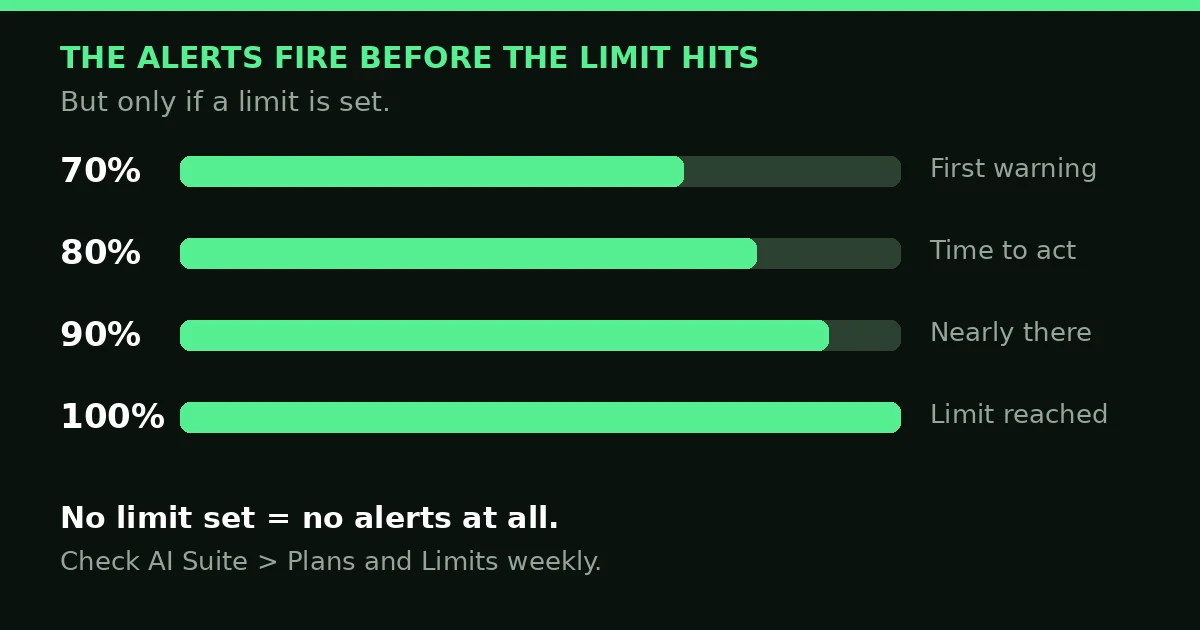
Alerts fire at 70%, 80%, 90% and 100% — but only if a limit is set.
Fix 5: Charge the client for what they use
A cap protects you. Getting paid properly is what makes the service worth selling.
Reselling sells an AI Employee plan to the client as a monthly subscription at a price you set.
Rebilling passes pay-per-use charges on to the client, with a markup if you want one. HighLevel’s docs say rebilling AI Employee usage needs the $497 Agency Pro plan.
GoHighLevel voice ai pricing done right starts from real numbers. A client who used $40 of AI last month is good business on a flat $150 fee. One who used $180 is not — raise the fee or move them to rebilling.
GoHighLevel conversation ai pricing works the same way: Growth covers 1,000 responses a month, and past that you pay per use again.
Fix 6: Know what happens when the limit hits
The limit is set, the behaviour is Block, and a client hits the cap. What do they see?
The AI stops. The sub-account sees a message that says the product is paused because the limit was reached. They cannot generate new AI outputs until the limit is raised or the month resets.
If the sub-account manages its own billing, it can raise the limit itself. If not, it sees a “Request more usage” button.
You handle requests in AI Suite, then Plans and Limits, then Notifications, then Limit Requests. Each one lets you Adjust Limit, Upgrade Plan, or Deny.
Approve and the AI starts again at once. Deny, and the client sees “Request declined” and can ask again later. That is gohighlevel voice ai pricing working as designed.
FAQ
How much is GoHighLevel voice AI?
Pay per use has no monthly fee and bills at token cost. Growth is $50 a month per sub-account: 1,000 Conversation AI responses and 100 Voice AI minutes. Unlimited is $97 a month per sub-account, subject to fair use. Phone charges are separate. That is gohighlevel voice ai pricing in full.
Does GoHighLevel have AI calling?
Yes. Voice AI answers inbound calls and can make outbound calls. If you want the bot behaviour fixed rather than the bill, read our post on GoHighLevel Conversation AI: 6 Fixes for Post-Booking Texts.
What is the difference between Voice AI and Conversation AI pricing?
The question behind gohighlevel voice ai vs conversation ai is simple: which costs more? They share the same AI Employee plans. GoHighLevel conversation ai cost is measured in agent responses, while Voice AI is measured in minutes. Growth covers 1,000 responses and 100 minutes a month. Unlimited covers both without a cap, subject to fair use. One usage limit covers billable usage across both.
The short version
GoHighLevel voice ai pricing only hurts when it is uncapped. The default is no limit, and the default behaviour is to keep running and just send an alert. Set a monthly limit per sub-account, switch to “Block AI at the limit”, watch the 70–100% alerts, and charge each client for what they use. One client should never cost you more than they pay you.
If you build your own GoHighLevel systems and want ready-made pieces, take a look at the Markiva Digital shop on Etsy. It sells GoHighLevel snapshots, workflows, funnels and templates.
