
GoHighLevel Cancelled Appointment: 6 Steps to Refill It
A GoHighLevel cancelled appointment does not just lose one booking. It leaves a hole in the day, because nobody who wanted that slot ever hears it opened. The people who would have taken it sit on a list in someone’s head, or in old messages, or nowhere at all. By the time anyone calls around, the hour is gone.
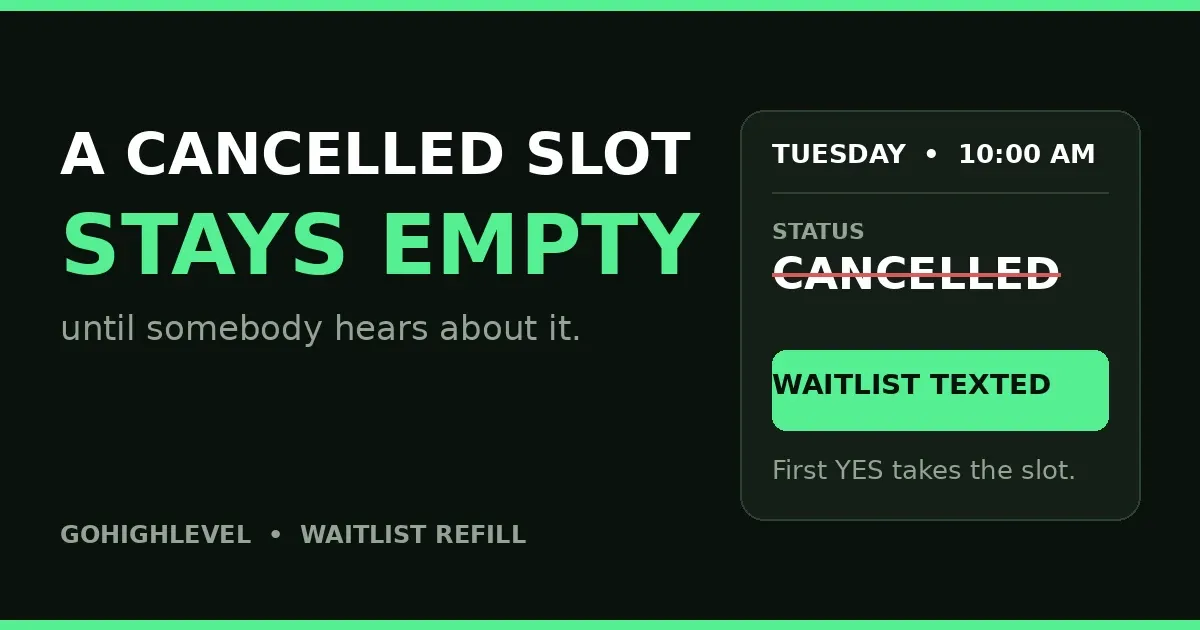
In short: a GoHighLevel cancelled appointment should trigger a refill, not a shrug. One workflow: when the appointment status changes to Cancelled, text the waitlist for that service with the booking link. The first person to reply YES books the slot. Everyone else hears the slot is filled and stays on the list.
In this post:
- Why a GoHighLevel cancelled appointment stays empty
- 6 steps to refill a GoHighLevel cancelled appointment
- What goes wrong
- Frequently asked questions
Why a GoHighLevel cancelled appointment stays empty
A cancellation is quiet. No notification fires; the calendar simply shows an empty slot. Most teams handle it the slow way: scrolling old texts, calling one at a time, reaching voicemail. The slot stays empty not because nobody wanted it, but because the news travelled too slowly.
The fix is to let the cancellation send the news. GoHighLevel creator Richard Magadza shared the build this week: one workflow, triggered on appointment status cancelled, that texts the waitlist — “A slot just opened. Reply YES to take it” — books the first yes, and tells the rest they are still on the list. An empty slot is only lost if nobody hears about it.
Here is the honest limit, stated before the steps: GoHighLevel’s calendar has no built-in waitlist. The waitlist in this build is a tag on the contact — “waitlist” plus the service name — and the workflow texts everyone carrying that tag. That works, and it is the build this post teaches. But it is a broadcast: everyone tagged gets the text at once, and the first YES wins. A marketplace app can send timed one-at-a-time offers instead.
A GoHighLevel cancelled appointment is different from a no-show. A no-show never tells you anything — you recover the person, which is the workflow in our no-show recovery post. A cancellation tells you the slot is free right now. Different event, different fix: the trigger below listens for Cancelled, not No-show.
6 steps to refill a GoHighLevel cancelled appointment
Step 1: Trigger on the Cancelled status
Create a workflow with the Appointment Status trigger. Set the filter to Cancelled, and add the calendar the service runs on. The trigger watches status changes — New, Confirmed, Cancelled, Showed, No-show — so the calendar filter stops one service’s cancellation texting another’s waitlist. Save it as a draft.
One setting to check: a GoHighLevel cancelled appointment can also happen by mistake. Someone taps cancel, then rebooks two minutes later, after the waitlist was already texted. Keep the text time-sensitive — “this slot, today, reply YES” — and let the live booking link do the guarding. Once the slot is booked again, the link shows it as gone.
Step 2: Build the waitlist with tags
A cancelled appointment waitlist that lives in someone’s head is not a waitlist. Use one tag per service, named plainly: waitlist-massage, waitlist-consult, waitlist-dental-checkup. Add the tag when someone asks for an earlier slot or a time that is full. Remove it when they book or ask to stop. Keep it short and current — a stale list texts people who booked months ago.
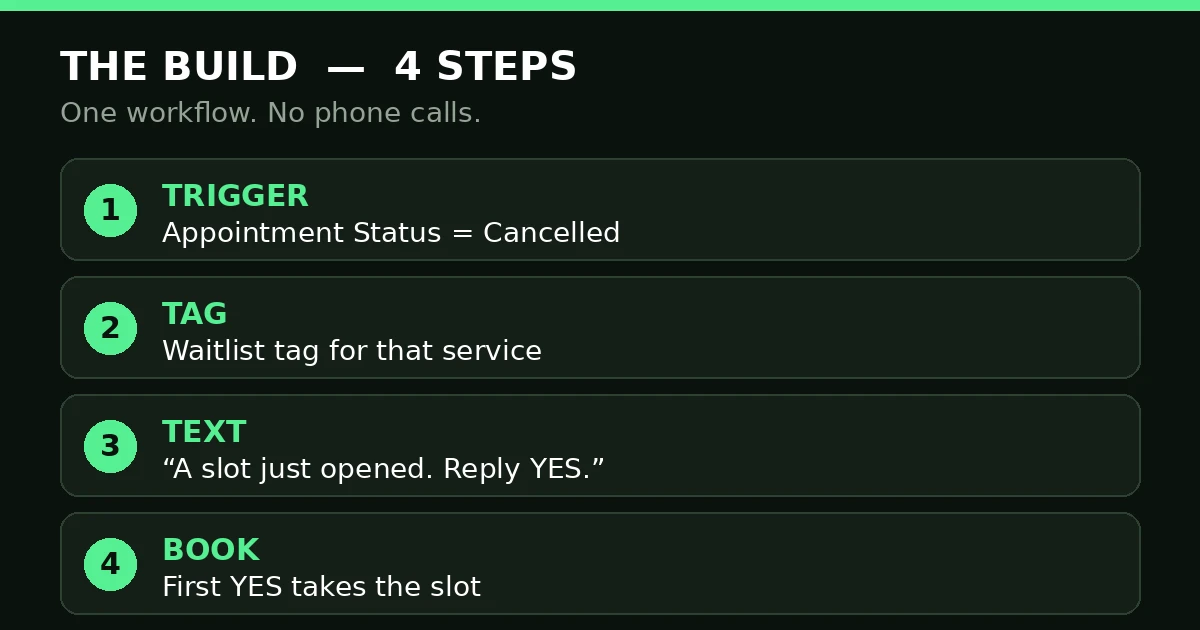
Trigger, tag, text, book: the whole refill build is four moves.
Step 3: Write the text people can act on
The text has one job: get a YES from the right person, fast. Name the service, the time, and the link. For example: “Hi Sarah, a 10:00 AM massage slot just opened today. Reply YES to take it, or book here: [booking link].”
Send it by SMS, not email. A GoHighLevel cancelled appointment email arrives when someone checks their inbox; a text arrives now, and the slot is gone in an hour either way. Stay inside the words your A2P registration covers, and only list people who asked to hear about openings.
Step 4: First YES books, the rest stay listed
This rule stops double-bookings. The text offers the slot, but the booking link decides who gets it: the first person to book takes it, because the calendar shows live availability. Do not promise the slot in the text. Promise the chance to take it.
Then tell the rest. As soon as the slot books, send a short follow up to the same list: “That slot is filled — you are still on the list, and we will text you first next time.” “Filled, still listed” keeps people warm for the next opening.
Step 5: Clean the list after every refill
After the slot fills, remove the tag from the person who booked and leave the rest tagged. Also remove anyone who replies STOP or says the time no longer suits them. A list that never shrinks gets ignored. Five real names beat fifty stale ones.
Step 6: Test it with a cancelled test booking
Test before this workflow touches a real client. Book a test appointment on the booking calendar, cancel it, and watch: the text should arrive within minutes. Reply YES from a second test contact and book. The calendar should show the slot booked, and the rest should get the “slot filled” message. Then test nobody replying — the slot stays open, and no second text goes out. If the workflow is not working at all, check the two usual causes: it is still in draft, or the filter says No-show instead of Cancelled.
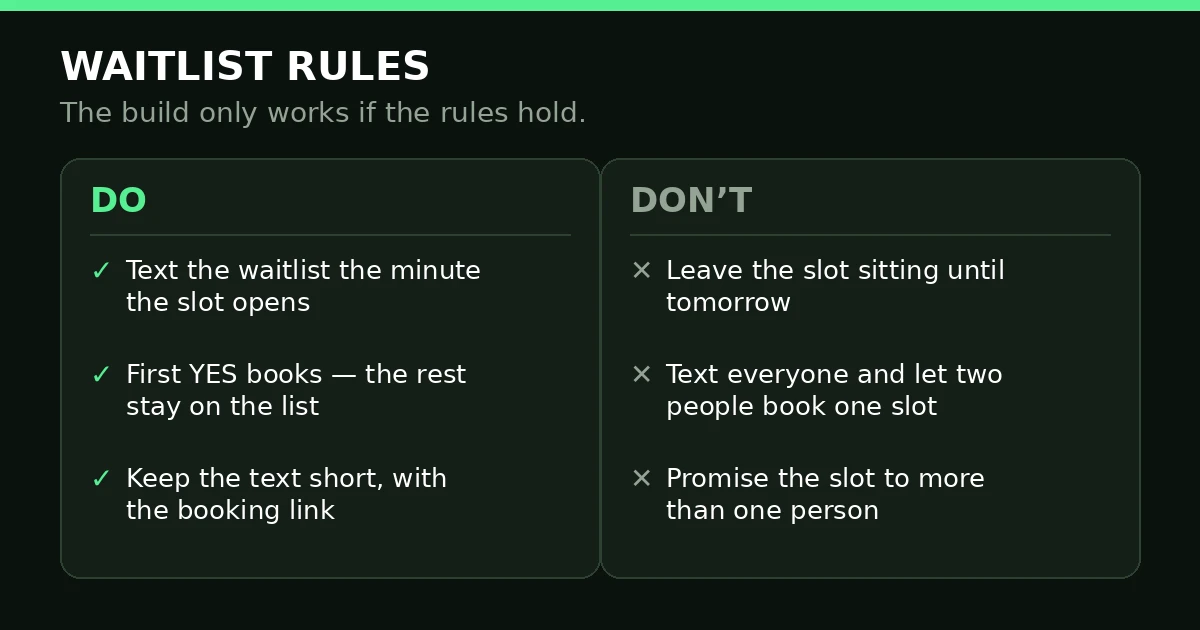
Text fast, first YES books, and never promise one slot to two people.
What goes wrong
| What you see | What is wrong | The fix |
|---|---|---|
| The text arrives hours late | The text waits behind other steps | Send the text first |
| Two people book one slot | The text promised the slot, not the chance | Let the booking link decide; add the “slot filled” follow up |
| The wrong service’s waitlist gets texted | One tag for every service, or no calendar filter | One tag per service, plus a calendar filter |
| Nothing happens on a cancellation | The workflow is in draft, or the filter says No-show | Publish it; set the filter to Cancelled |
| People complain about the texts | Contacts were added without asking | Only tag people who asked; honour STOP at once |
Reminder sequences and refill workflows are neighbours, not twins. Reminders stop cancellations before they happen — see our appointment reminders post if yours are not sending. This workflow starts after the cancellation, and neither replaces the other.
Frequently asked questions
How do I respond to a GoHighLevel cancelled appointment?
Respond to the slot, not just the person. Thank the person who cancelled and offer the reschedule link — that keeps the client. Then, in the same minute, let the waitlist workflow offer the freed slot to the next person. Two messages, both should go out.
Does GoHighLevel have a waitlist feature?
No. GoHighLevel’s calendar has no built-in waitlist. The working build is a tag per service plus a workflow triggered on the Cancelled status. Marketplace apps add one-at-a-time timed offers. Either way, the list is tags, and the trigger is Appointment Status.
What trigger fires when an appointment is cancelled?
The Appointment Status trigger, filtered to Cancelled, on that service’s calendar. It fires when the status changes to Cancelled — client-cancelled through the booking link or team-cancelled in the calendar. The calendar filter stops one service’s cancellation texting another service’s waitlist.
How do I stop two people booking one cancelled slot?
Not with words — with the booking link. The link shows live availability, so the first booking takes the slot and the second person sees it as gone. Then send the “slot filled” follow up to the rest at once. Never text back “the slot is yours” before the booking lands.
Can the waitlist text include a reschedule link?
Yes, and it should. The booking link is what turns a YES into a booking. Use the calendar’s booking link for that service, and check it in a private browser window first — a stale link after a schedule change wastes the one moment the waitlist is paying attention. A GoHighLevel cancelled appointment refill lives or dies on that link working.
A cancelled slot is not lost time. It is an hour someone already wanted, waiting to hear. Build the trigger, keep the list clean, text fast. If the build is more than your team has time for, book a free GoHighLevel strategy call — we build workflows like this for agencies and their clients every week.
